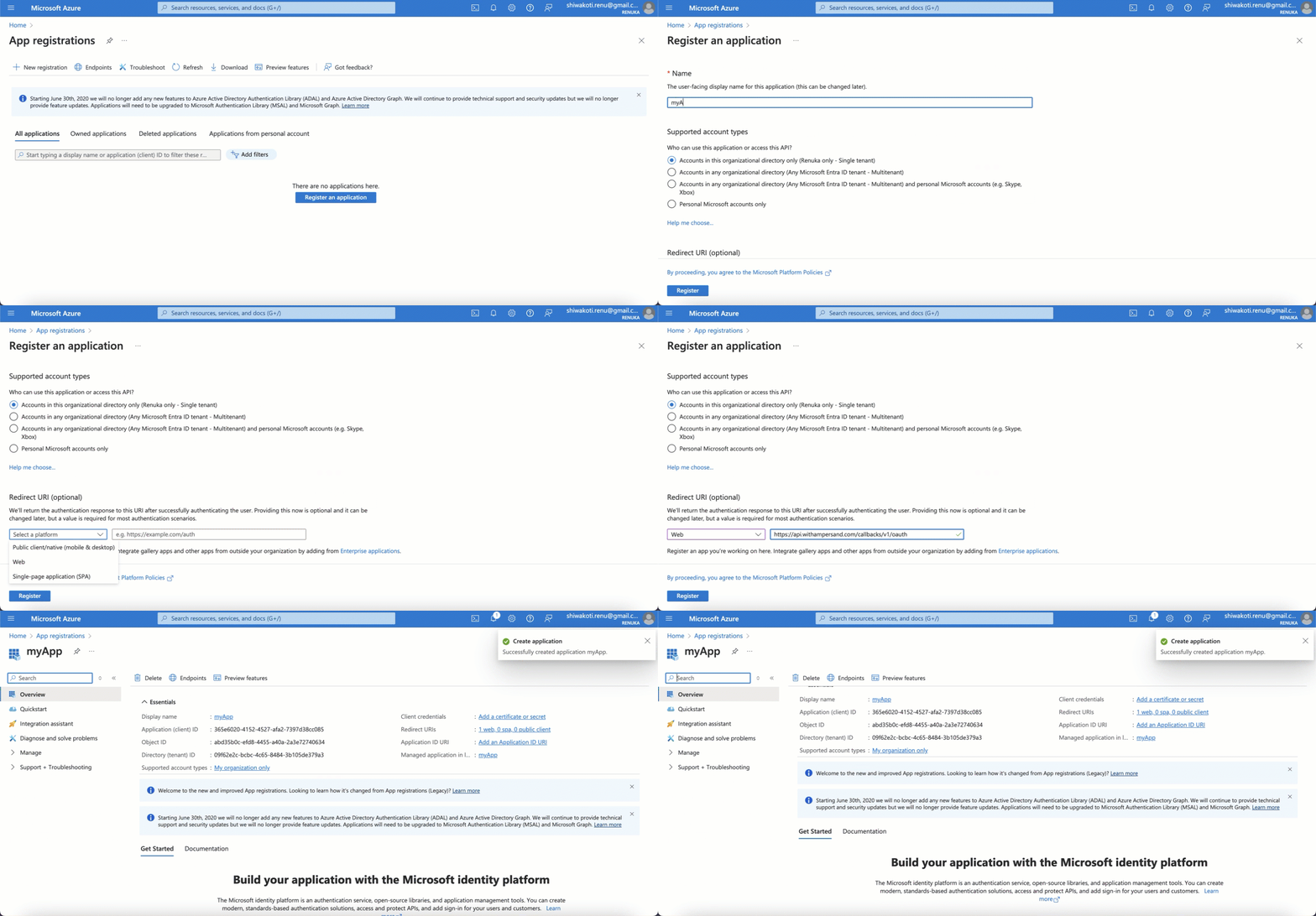
To connect Microsoft services with Ampersand, you will need a Microsoft Account.Once your account is created, you’ll need to create an app in the Azure portal, configure the Ampersand redirect URI within the app, and obtain the following credentials from your app:
Client ID
Client Secret
Scopes
You will then use these credentials to connect your application to Ampersand.
Select the project where you want to create a Microsoft integration.
Select Provider Apps.
Select Microsoft from the Provider list.
Enter the previously generated Client Secret in the Client Secret field.
For the Client ID field, go to the Overview page in your Microsoft application, and copy the Application ID.
Enter the exact set of scopes that you had previously configured in your Microsoft app.
Click Save Changes.
In order to receive a refresh token and be able to access your customers’ Microsoft Graph APIs without reauthenticating, you must include the offline_access permission when registering the app with Ampersand